
1. Navigate to your "Portal Home".
2. Click on the "Assignments" tab.
3. Scroll to the Assignment you would like to change the due date or edit.
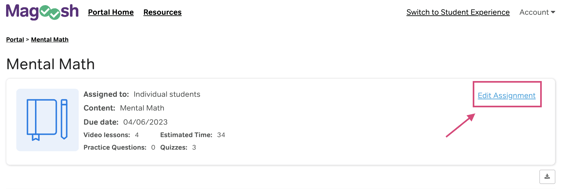
4. Click into the Assignment and click "Edit Assignment" in the top right.
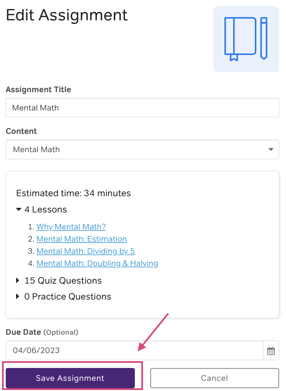
5. Change or update the due date, title, or content as needed.
6. Make sure to click "Save Assignment" before leaving the page.
For more information, check out our video tutorial below: