
This article explains how to create an assignment for an individual student in the educator portal. Follow the steps below to get started.
1. Navigate to the educator portal homepage.
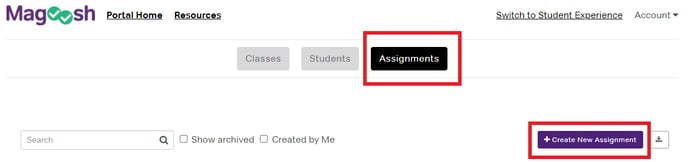
1. Navigate to the educator portal homepage.2. Click Assignments in the navigation menu, then click Create New Assignment.
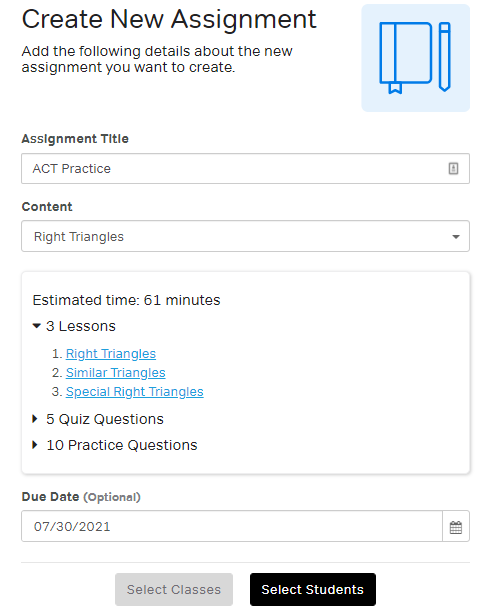
3. Enter a title, select the content, and choose a due date (optional).
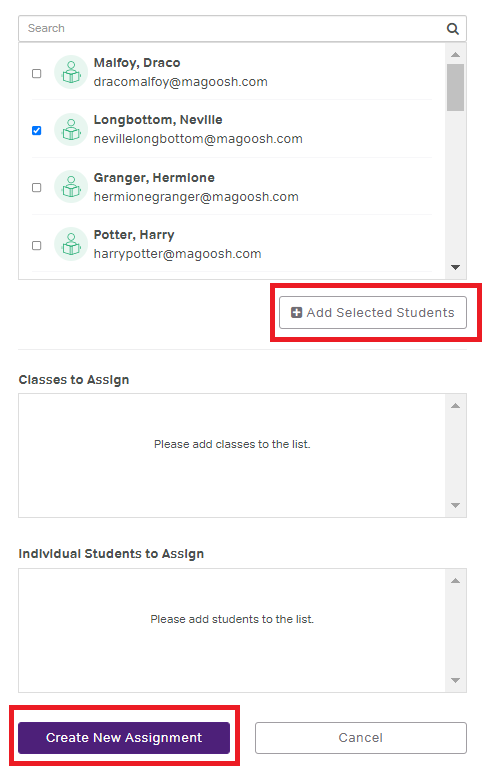
4. Click Select Students and search for the student by name.
5. Once the student has been added, click Create New Assignment to save and publish the assignment.
For a step-by-step walkthrough, watch the video tutorial below: