
Can students pause a full-length practice test and finish it later?
Yes — students can pause a full-length Magoosh practice test between sections and resume it on a later day. They cannot pause mid-section, but they can spread the test across multiple sessions on a schedule that works for them.
How do students pause and resume a practice test?
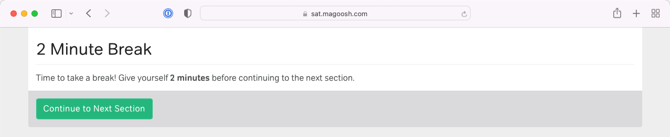
To pause between sections, have students complete one or more sections until they reach the between-section pause screen. From that screen, students can close their browser to save their progress. To resume, follow the steps below.
- Have students complete a section until the between-section pause screen appears.
- Close the browser to pause the practice test.
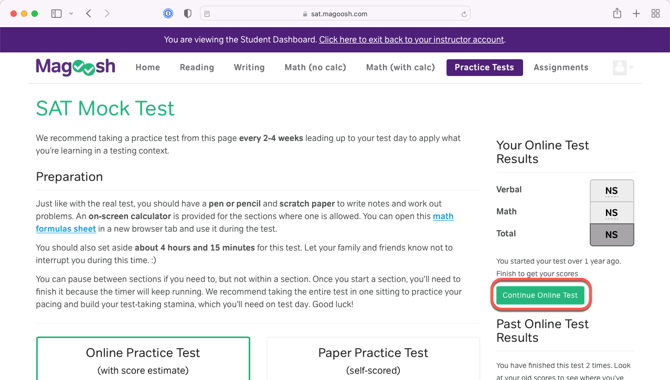
- When ready to resume, sign in to Magoosh and navigate to Practice Tests.
- Click the Continue Practice Test button to pick up where you left off.
Students can repeat this process to pause multiple times and spread the test across as many days as needed.
Does splitting a practice test across sessions affect the score estimate?
Yes. Splitting a practice test across multiple sessions may result in a slightly inflated score estimate, because students do not experience the same test fatigue they would when completing the exam in one sitting.