
Setting a target score in Magoosh helps students stay motivated and receive personalized recommendations based on their goals. Students can set or update their target score at any time from their account settings.
Why Set a Target Score?
- Track progress toward a specific goal
- Get personalized recommendations
- Stay motivated with clear benchmarks
- Understand how much improvement is needed
How Students Set Their Target Score
Note: These steps apply to all Magoosh test prep products. If you're unsure what score to aim for, check the average score requirements for your target schools or programs.
-
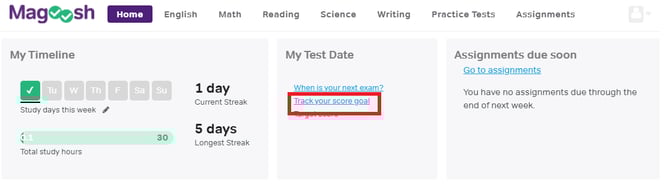
On the student dashboard home screen, click on "Track your score goal."
-
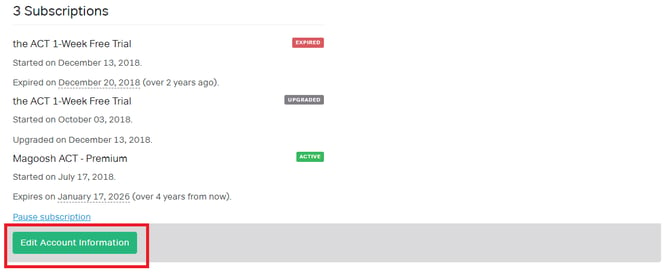
Then click "Edit Account Information" at the bottom of the screen.
-
Enter a score in the "Target Score" field.
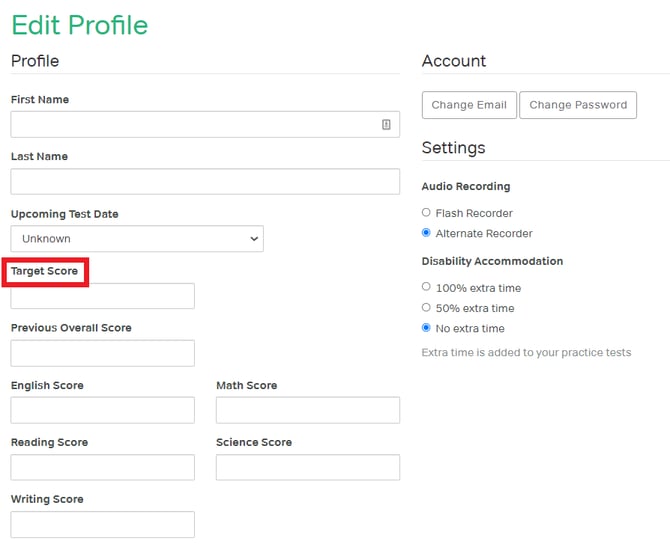
Click Save to confirm.